A calm baby log for the night shift.
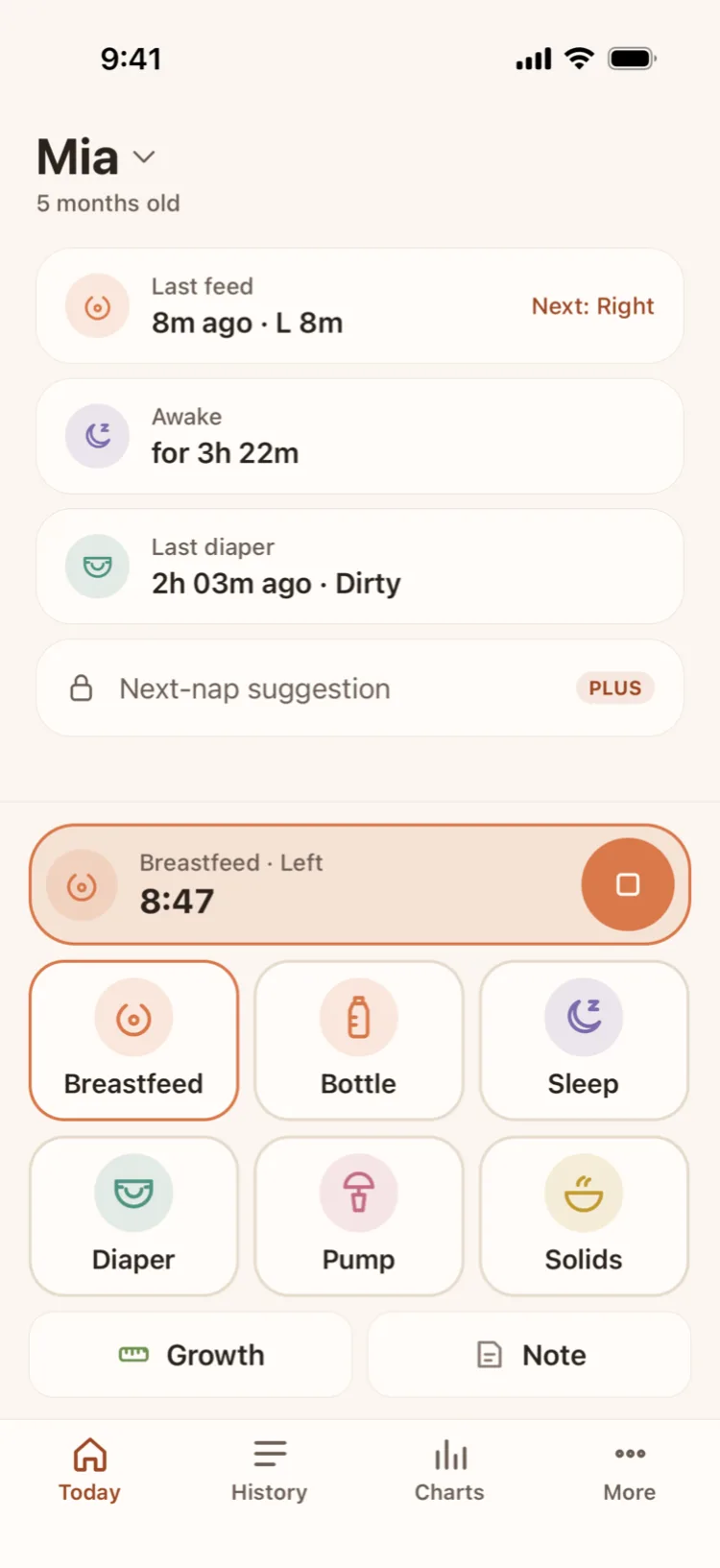
Log a feed, a nap or a diaper in one tap — big buttons in the bottom half of the screen, made for one hand. Baton remembers which side is next, and both parents write to one log through their own iCloud.
- No account
- No ads
- No analytics, no tracking
- Core features free forever
Features
Works one-handed, half asleep.
Baton does not try to do everything. It does the daily things properly: log fast, remember correctly, and let the whole family see it.
One-tap logging
Breastfeeding, bottles, pumping, solids, sleep, diapers, growth and notes. Big buttons in the bottom half of the screen. Every save has a 5-second Undo, and every time can be edited.
Which side was last
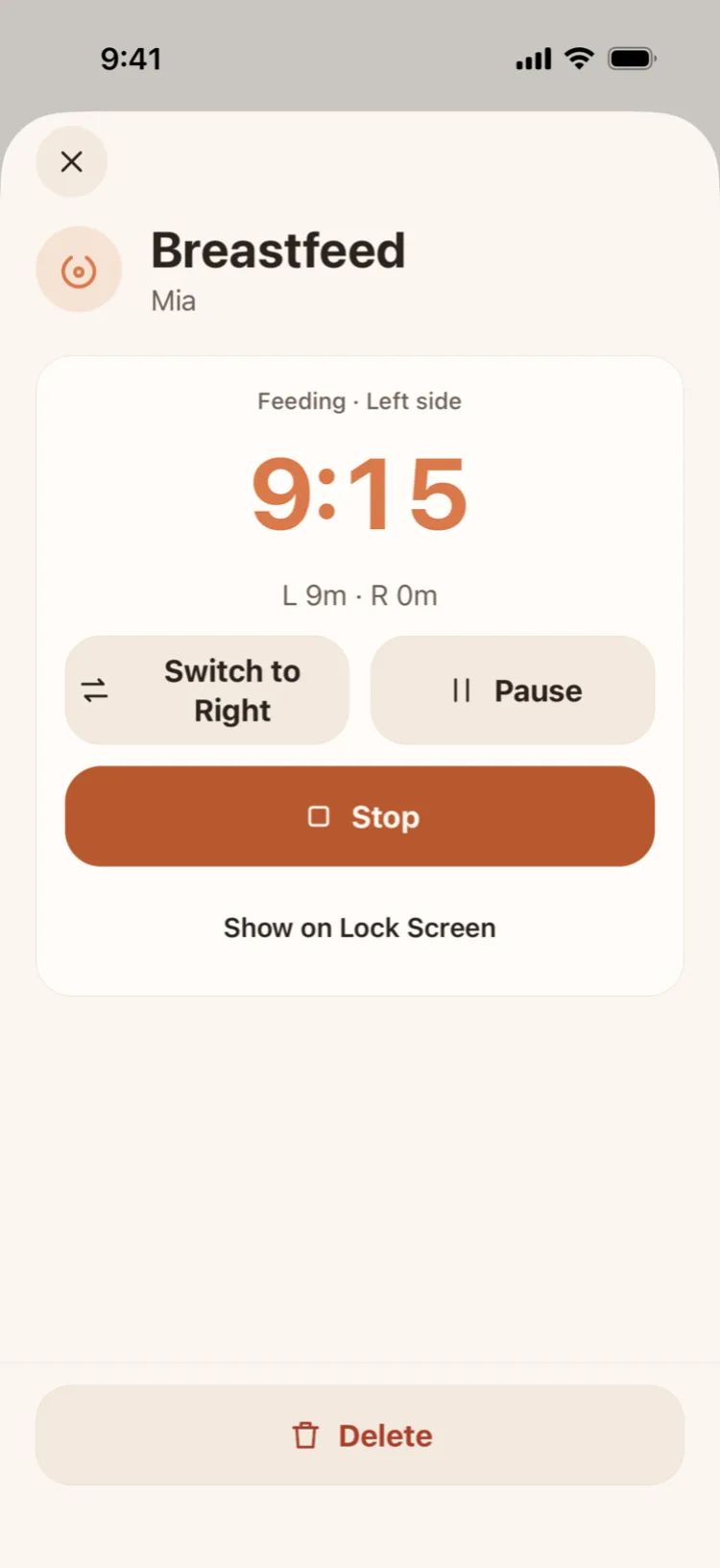
The breastfeeding timer switches sides, pauses and keeps each side's minutes. Next time you open the app, Baton tells you which side is next.
Forgot to start the timer
Start a feed or a nap 5, 10, 15 or 30 minutes ago, or change the start while the timer runs. The Live Activity and your partner's phone follow.
Lock Screen and Dynamic Island
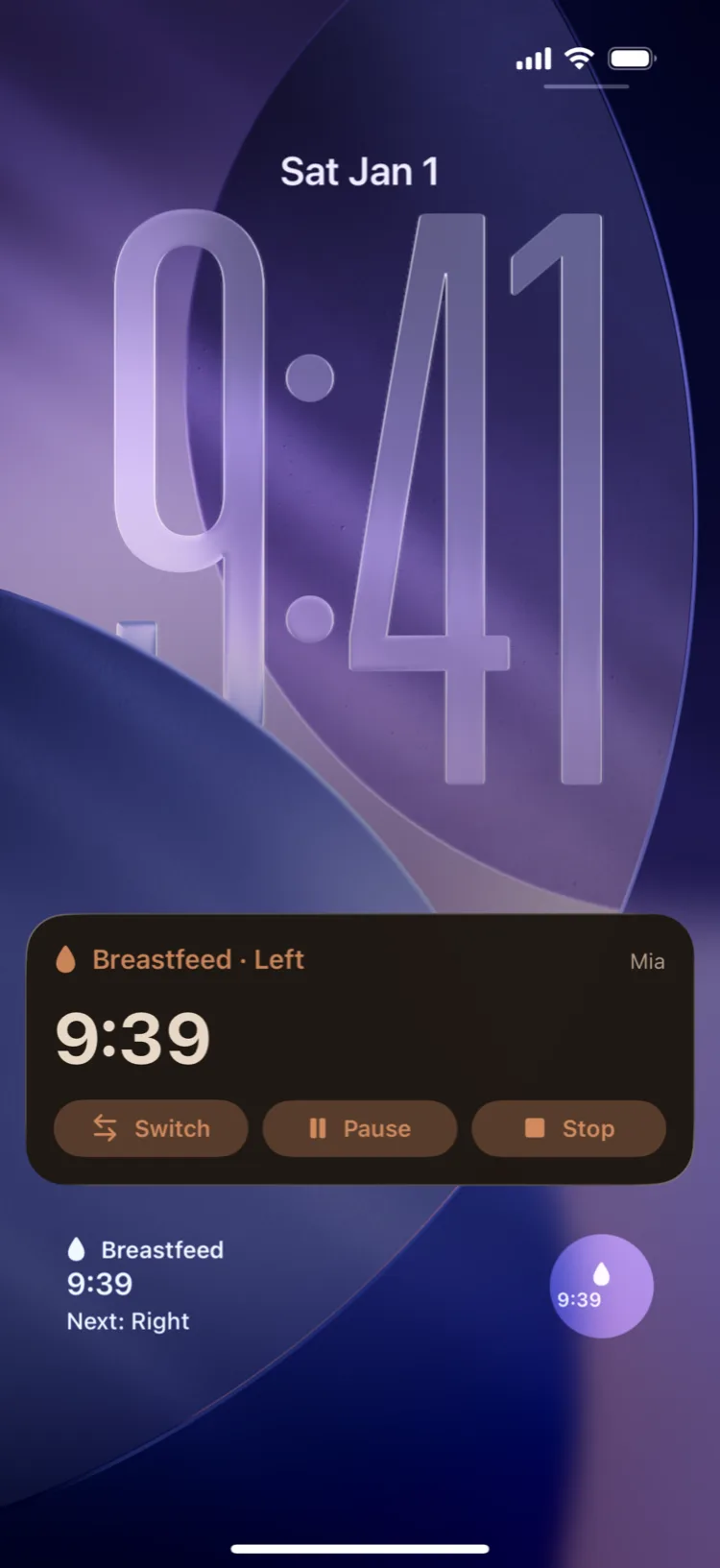
Pause, switch sides or stop a feed from the Live Activity without unlocking. Home Screen and Lock Screen widgets, with one-tap diaper logging.
Partner sync
Invite your partner with an iCloud link. Two different Apple IDs, one shared log — and they never have to pay.
Expecting: a contraction timer
Add your baby with a due date for a one-tap contraction timer, on the Lock Screen too. When the baby arrives, the same profile becomes the baby log. Free.
Switching from Nara Baby or another app
Import a Nara Baby CSV export or any spreadsheet. Check it before importing, skip duplicates, undo the whole import. The file is read on your iPhone and never uploaded. Free.
A night mode that is easy on the eyes
Warm tones, no bright white, no blue light, and an extra dimming veil — switched on automatically on the schedule you choose.
Growth, trends and full history
Today's timeline and totals, 7-day charts, weight, length and head circumference, a full history that is never locked, and CSV export.
Vietnam's vaccine schedule
The national Expanded Programme on Immunization schedule from your baby's birth date, with reminders before each dose. Every number cites its source.
iPhone and iPad
On iPad: a sidebar, two columns in landscape and keyboard shortcuts. In English, Vietnamese and eight more languages.
Private by design
No account, no Baton server, no analytics, no ads. Your baby's data lives on your devices and in your own iCloud.
New · Expecting
Time contractions, before the baby is even here.
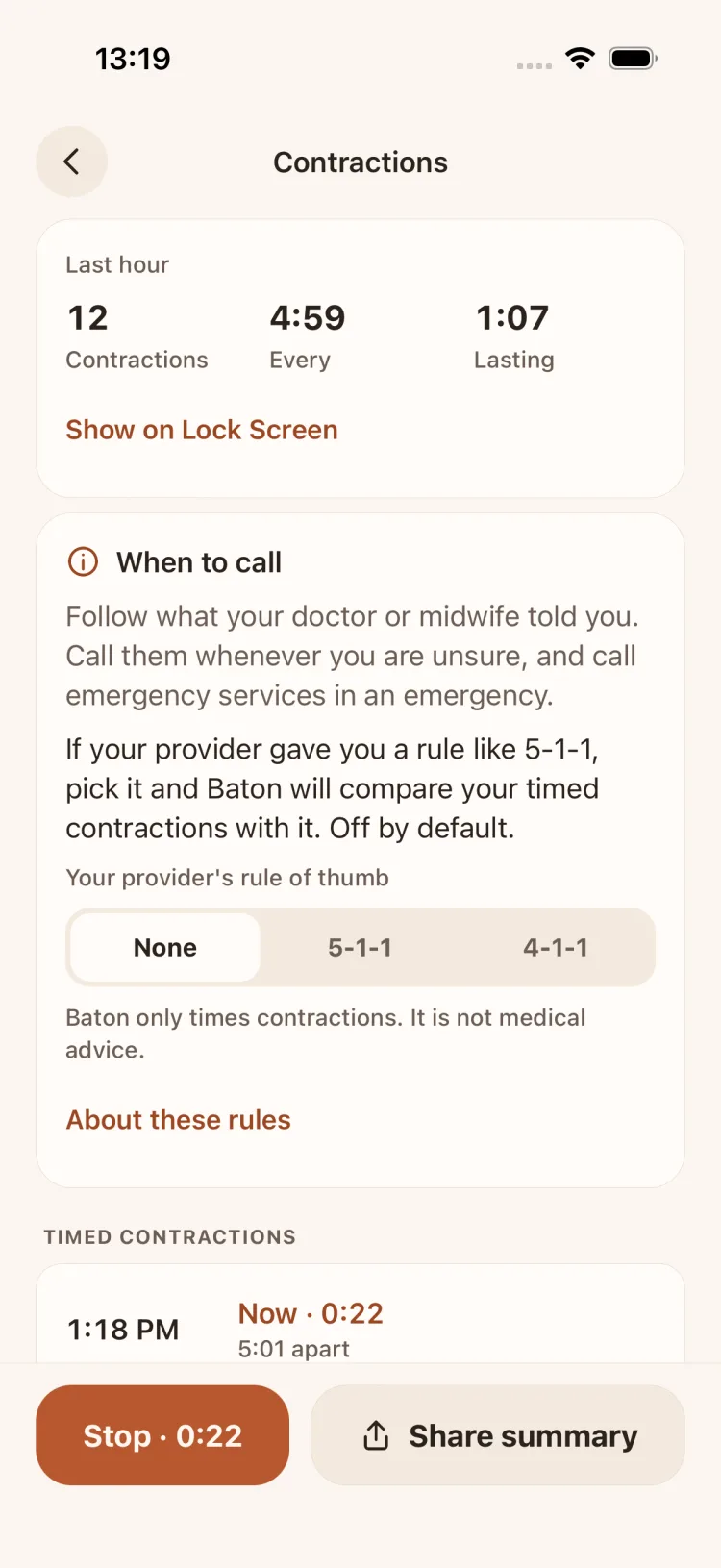
Add your baby with a due date and Baton becomes a contraction timer: one big button to start and stop, easy to hit one-handed between contractions.
- Free forever
- Never a paywall during labour
- No analytics
One big button, the numbers worked out
Tap when a contraction starts, tap again when it ends. Baton keeps each one's length, the time between them, and the last hour: how many, how far apart, how long.
On the Lock Screen and Dynamic Island
The Live Activity has a Start/Stop button and a clock since the last one began, so there is no need to unlock.
When to call
Always: follow what your doctor or midwife told you. If they gave you a rule like 5-1-1 or 4-1-1, pick it and Baton compares your last hour with it. Off by default.
Send it to your partner or provider
Share a summary as a message or a PDF. Your partner can time contractions on their own phone too, through iCloud.
“Our baby is here”
Add the name, time of birth, weight and length. The same profile becomes the baby log, with your partner and the timed contractions kept.
Birth announcement card
The name and the day on a card for the family chat, with a photo if you like. Time, weight and length only show if you switch them on. Free with a small Baton mark; Plus removes it.
Baton only times contractions; it is not medical advice. Follow what your doctor or midwife told you, call them whenever you are unsure, and call emergency services in an emergency. Like every other entry, contractions stay on your phone and in your iCloud — no analytics, no Baton server.
Partner sync
One log for your baby, two phones.
Dad gives a bottle at 2 AM; Mum wakes at 5 and still knows what the baby ate, how long they slept and which side is next. Each of you keeps your own Apple ID.
- 01
Invite with a link
Send an iCloud link through Messages, WhatsApp or anything else. A grandparent or nanny with an iPhone can join too.
- 02
Whoever logs, both phones see it
Every entry travels through your own iCloud using Apple's CloudKit sharing. No Baton account and no Baton server in between.
- 03
Works offline
Every entry is saved on the device first and synced when there is a connection. Your own iPhone and iPad stay in sync too.
Sync is usually a few seconds with both apps open. In the background iOS decides when Baton may wake, so an entry can occasionally wait until the next open. Both of you need an iPhone or iPad on iOS 17 or later, signed in to iCloud.
Inside the app
Straight from the app
Every image below is a capture of the real Baton app on the iPhone simulator, with sample data. Not a mockup.
Today, at a glance
The last feed and the next side, how long the baby has been awake, the last diaper. The log buttons sit under your thumb.
The breastfeeding timer
Switch sides, pause, stop. Each side's minutes are kept separately.
Right on the Lock Screen
A Live Activity with Switch, Pause and Stop — no unlocking needed.
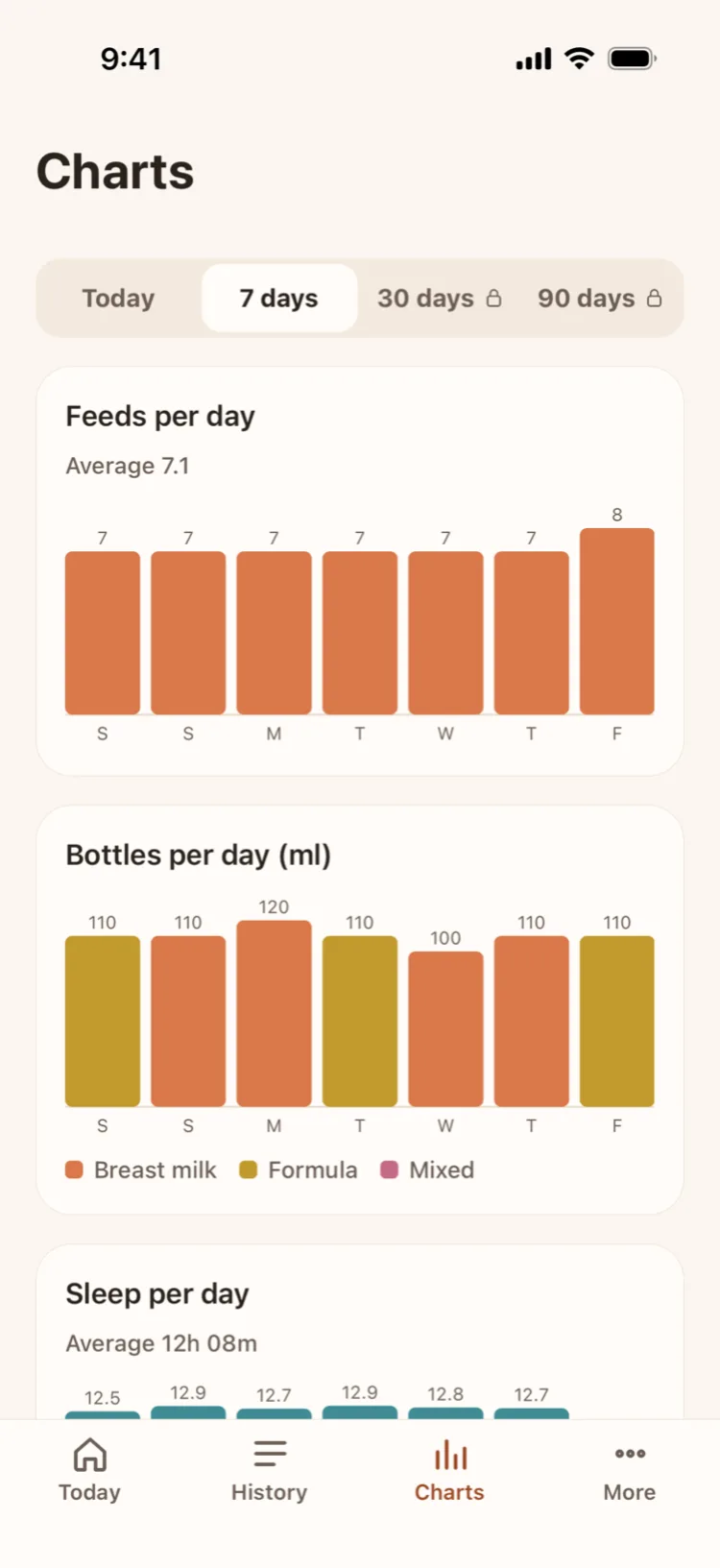
Your baby's week
Feeds, bottle volume and sleep per day over 7 days — free.
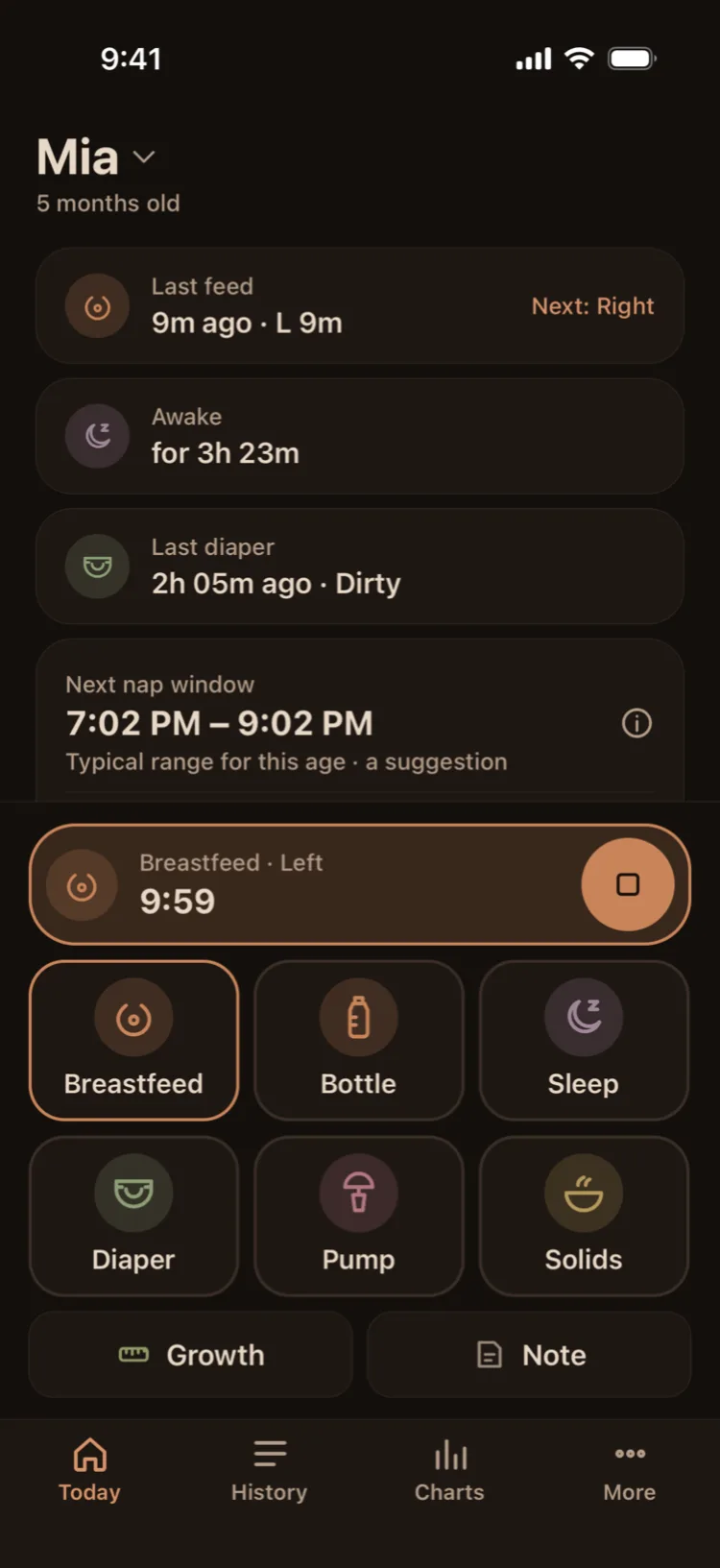
Night mode
Warm and dim, with no bright white and no blue — for 3 AM.
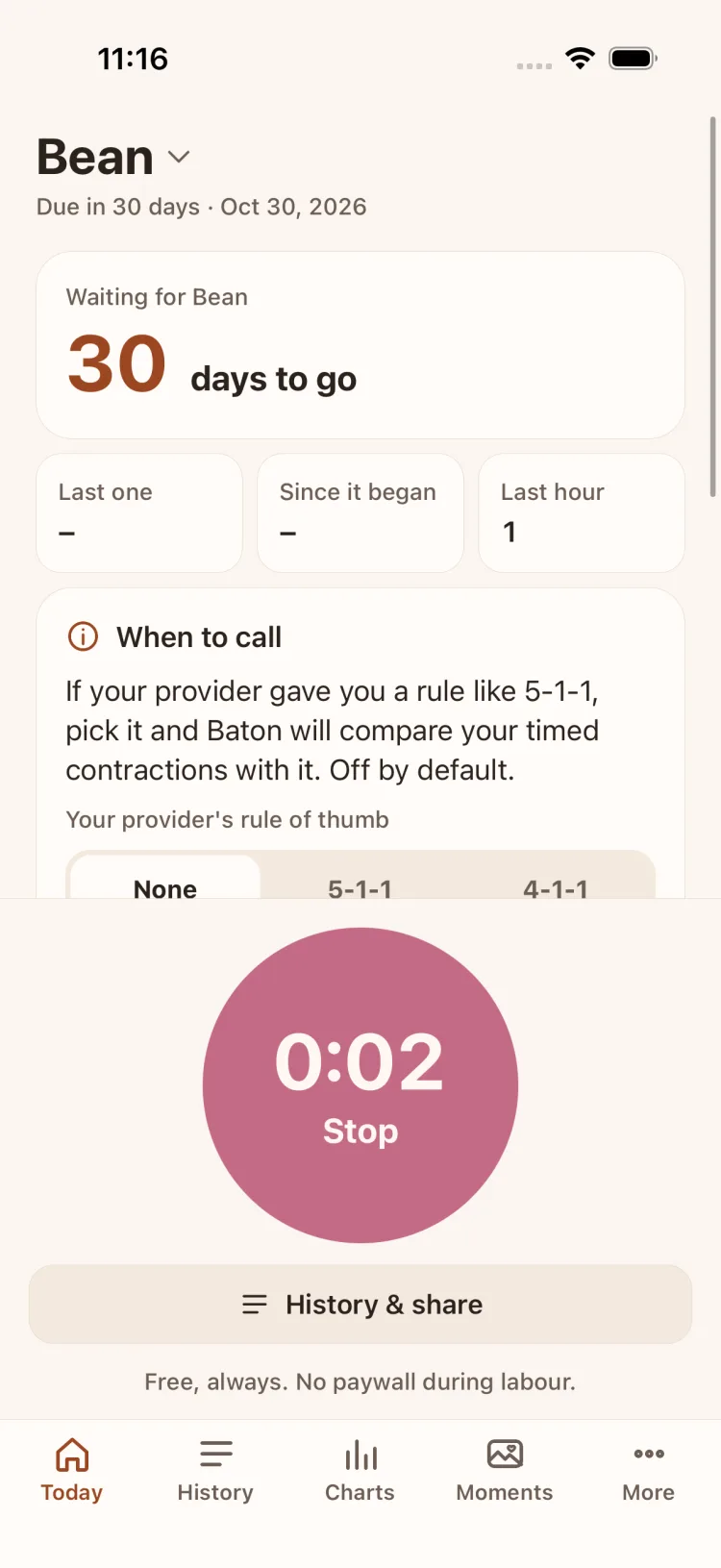
Expecting: one big button
Days to the due date, the last contraction, the last hour, and Start/Stop in the bottom half.
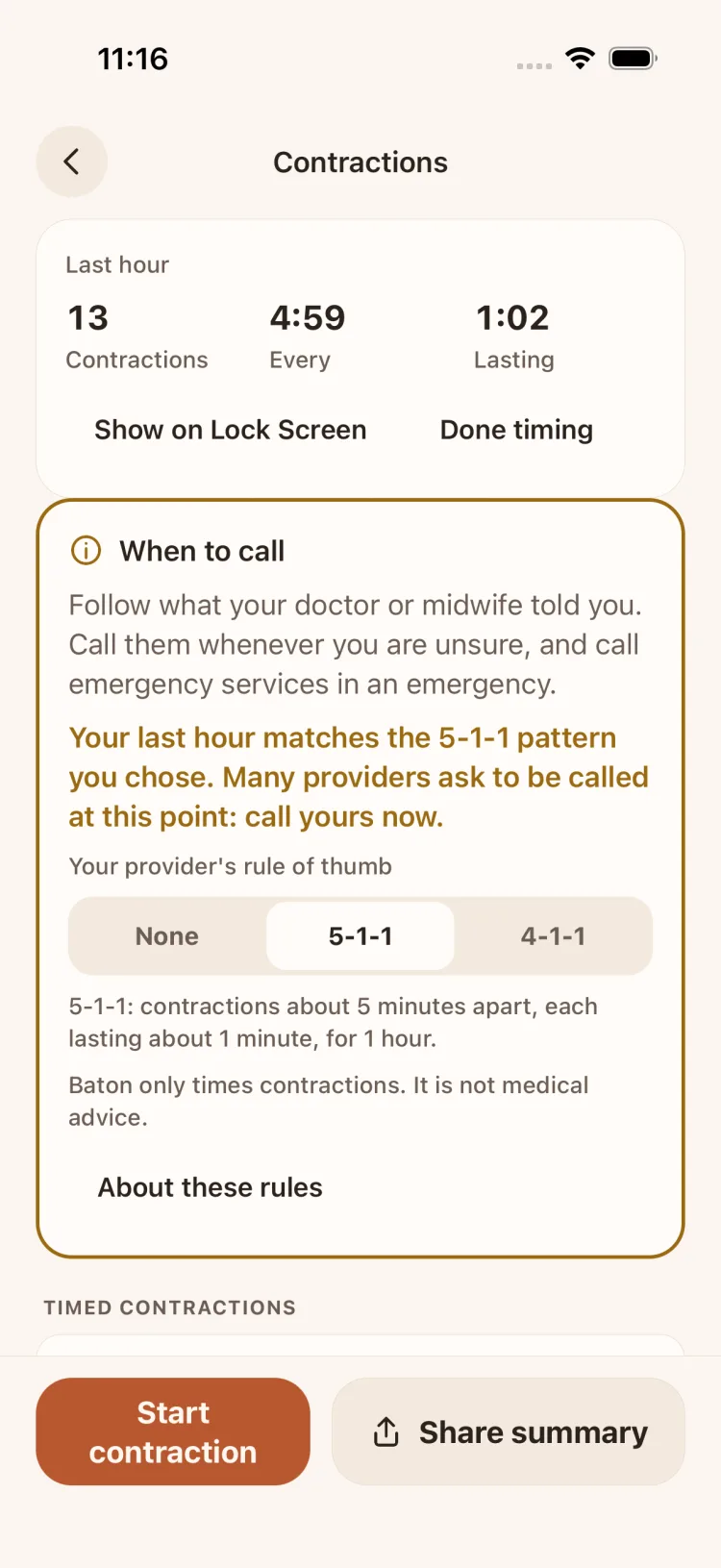
Checked against your provider's rule
Only if you pick 5-1-1 or 4-1-1 does Baton compare, and tell you to call your doctor or midwife.
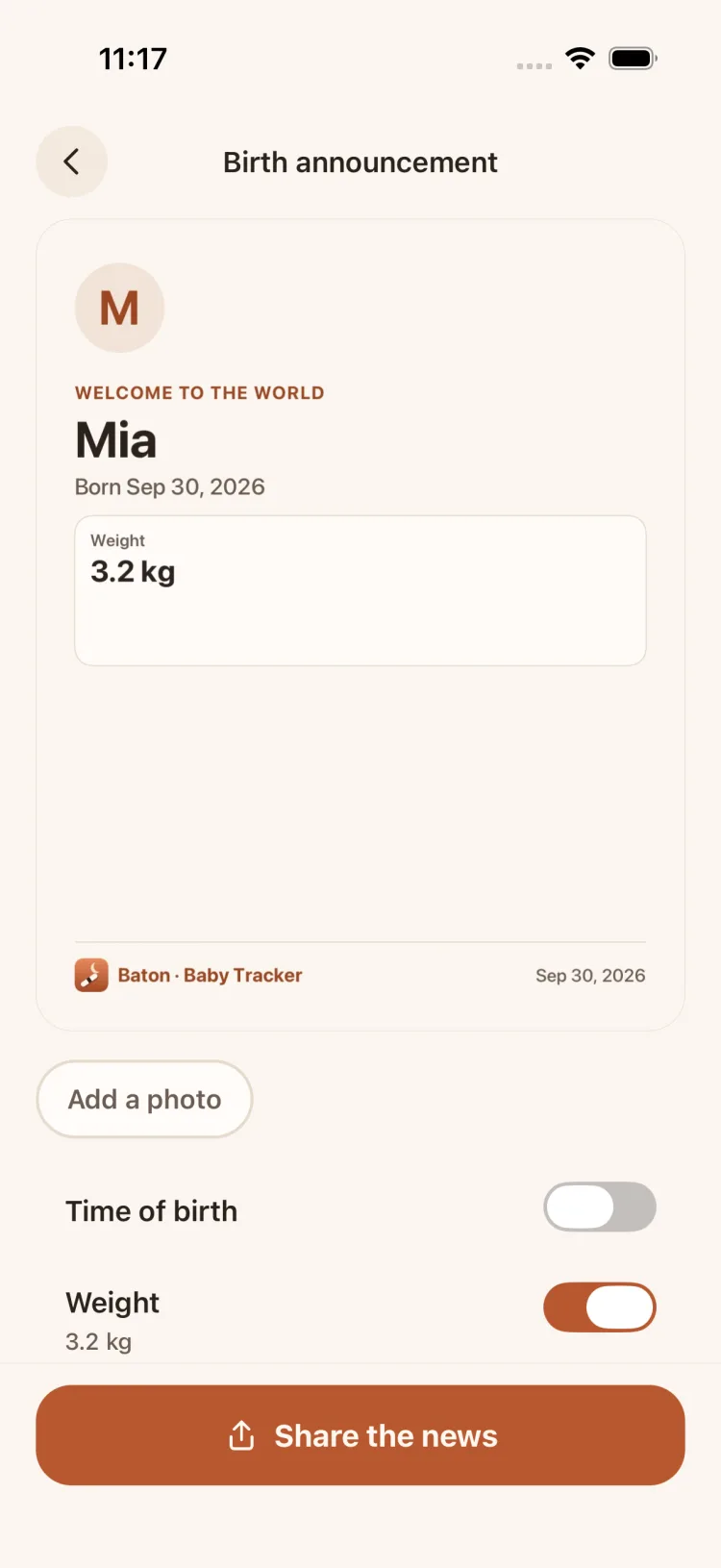
Birth announcement
The name and the day; time, weight and length only if you switch them on.
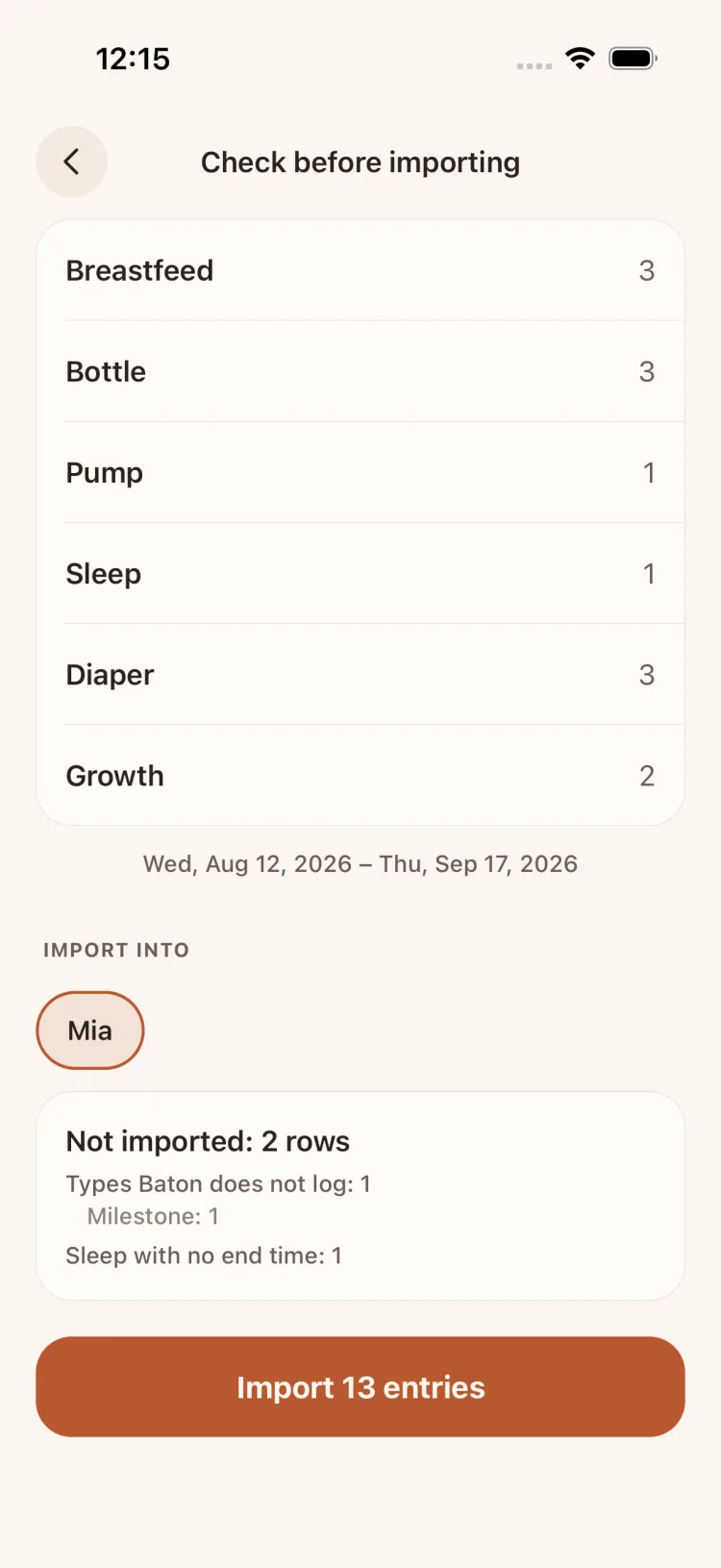
Import from Nara Baby
See every type, and which rows are left out and why, before importing. Undo is one tap.
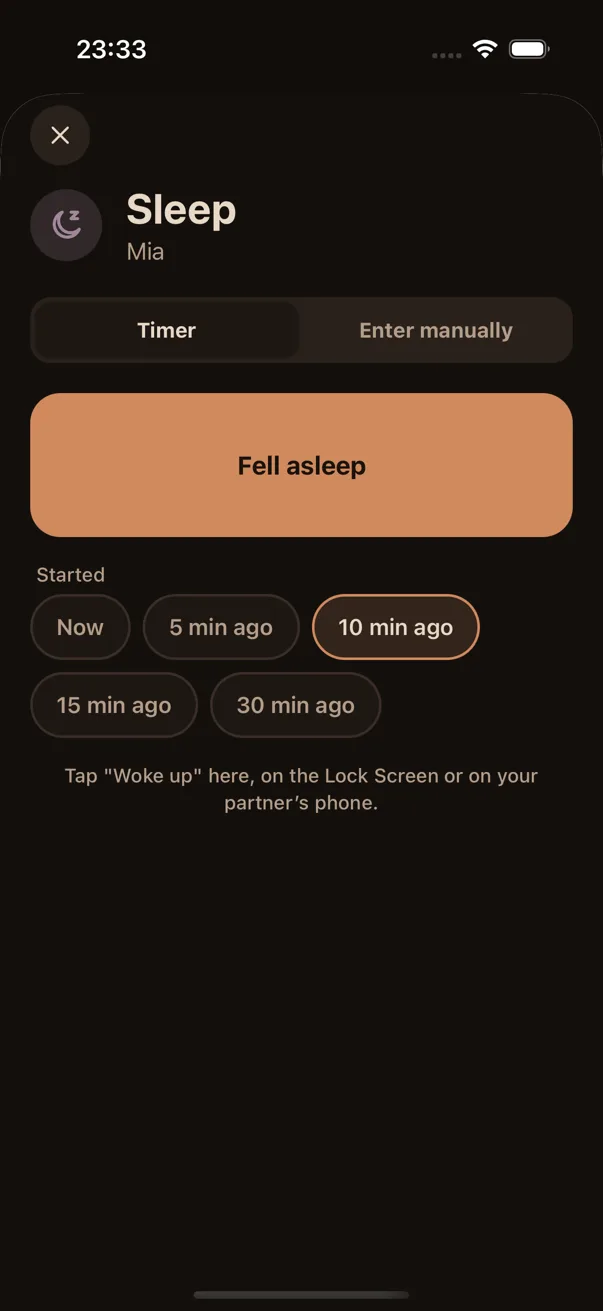
Forgot to press start?
Start the timer 5, 10, 15 or 30 minutes ago.
Privacy
Your baby's data belongs to your family.
Baton has no server and no accounts. The developer cannot read anything you log.
On your devices and in your iCloud
The log is stored on the device and synced through your own iCloud database with Apple's CloudKit. Your baby's name, birth date, notes and entry details are end-to-end encrypted.
Never sold, never shared, no ads
Health and routine data about your child is never sold, never shared with third parties and never used for advertising.
No analytics
No analytics SDKs, no crash-reporting SDKs, no ad SDKs, and no tracking across other apps.
One outside service
RevenueCat handles Baton Plus purchases with an anonymous ID. It receives nothing about your child.
The core is free. Forever.
Logging, timers, widgets, partner sync and your full history are free, and we promise not to move them behind a paywall later. Baton Plus is optional.
Free
$0
- Every kind of entry, unlimited
- Feed and sleep timers, Live Activity, Dynamic Island
- All widgets, including the Lock Screen
- Partner and caregiver sync
- Full history, today and 7-day charts, CSV export
- Vietnam's vaccine schedule and dose reminders
- Your first child (and twins), night mode
- Expecting mode, the contraction timer and its Live Activity
- Import from Nara Baby or a CSV file
Baton Plus
7-day free trialYearly
$9.99
99.000đ in Vietnam
7 days free, then renews every year. Cancel anytime.
Lifetime
$19.99
199.000đ in Vietnam
Pay once. Never renews.
- The usual next-nap window for your baby's age, with a reminder before it
- 30- and 90-day trends
- A PDF report for your pediatrician
- More children (twins are always free)
- Your own reminders, like “feed every 3 h”
Yearly is an auto-renewing subscription billed to your Apple ID: you are charged when the 7-day free trial ends and every year after that, unless you cancel at least 24 hours before renewal (Settings › [your name] › Subscriptions). Lifetime is a one-time purchase. Both include Family Sharing, and your partner does not need to buy anything. Prices in other countries may differ; the App Store shows the exact price before you confirm.
Frequently asked questions
Does my partner have to pay?
No. Everything they need to see and log — the log, timers, widgets and sync — is free. If you buy Baton Plus, Apple's Family Sharing unlocks Plus for the members of your family group.
Do we both need an iPhone?
Yes. Sharing goes through iCloud, so each of you needs an iPhone or iPad on iOS 17 or later, signed in to your own Apple ID with iCloud Drive on. There is no Android version yet; you can always export everything to CSV.
Can you see my baby's data?
No. Baton has no server. Your data lives on your devices and in your iCloud (and in the iCloud of anyone you invite). Your baby's name, birth date, notes and entry details are end-to-end encrypted, and the developer has no access to your iCloud.
What if iCloud is off, or I'm offline?
Baton works fully. Every entry is saved on the device first; sync is an add-on that catches up when you are back online.
How do the trial and cancelling work?
The yearly plan starts with a 7-day free trial. Cancel in Settings › [your name] › Subscriptions › Baton at least 24 hours before the trial ends and you will not be charged. Lifetime is a one-time payment; there is nothing to cancel.
Is the nap suggestion medical advice?
No. Baton shows the typical range for your baby's age from published wake-window tables, and cites the source in the app. Ask your pediatrician about your baby's health.
Does the contraction timer cost anything?
No, and it never will. Expecting mode, the contraction timer, its Live Activity, the summary to share and “Our baby is here” are all free. Baton never shows a Plus offer during labour.
Does Baton tell me when to call my doctor?
No. Baton only times contractions and always tells you to follow what your doctor or midwife said. If they gave you a 5-1-1 or 4-1-1 rule, you can pick it (it is off by default) and Baton tells you when your last hour matches it. In an emergency, call emergency services.
I use Nara Baby. How do I move over?
In Nara Baby, tap your baby's photo › Export Data and save the CSV. In Baton, go to More › Import data and pick that file. Baton reads breastfeeds, bottles, pumping, sleep, diapers and growth, shows you everything first (including any rows it cannot import and why), skips duplicates, and lets you undo the whole import. CSV files from other apps work too. The file is read on your iPhone, for free.
I have twins.
Twins (same birth date) are always free. Baton Plus is only needed to track another child.
Coming soon to iPhone and iPad.
Baton is being polished for the App Store. Have feedback or a question before launch? Email any time.