How to use white noise for baby sleep on iPhone
Published 3 October 2026 · Đào Văn Thương · 5 min read
To use white noise for baby sleep on iPhone, turn on Background Sounds (Settings › Accessibility › Audio & Visual) or use an app with a sleep timer, then put the phone well away from the crib, keep the volume low and let the sound stop on its own. Baton: Baby Tracker has sleep sounds generated on the phone with a timer that fades out, and white noise is free in 15-minute sessions.
Many parents find that a steady shushing sound helps a baby settle, or masks a door, a sibling or the street. The catch is that it is easy to play it too loud, too close and all night without noticing. This guide covers the built-in iPhone way first, a simple setup that keeps the sound gentle, and what to ask your baby's doctor.
This guide is general information, not medical advice. Follow what your doctor, midwife or health visitor told you, and call emergency services in an emergency.
What is white noise, and why do parents use it?
White noise is an even hiss, like a radio between stations. Pink and brown noise are softer, deeper versions of the same idea, and rain, a fan or the sea work in a similar way: a constant sound with nothing in it to catch the ear.
- It can cover sudden sounds, such as a door, a dog or a car, that would otherwise stand out in a quiet room.
- Some parents use it as a cue: the same sound every time it is time to sleep.
- It can give the adult in the room a break from every small noise the baby makes.
It is a comfort tool, not a treatment. Research on how much it helps babies sleep is limited, and it does not replace safe-sleep basics. If you are worried about how your baby sleeps, ask your pediatrician.
How do I play white noise on iPhone without an app?
Since iOS 15 the iPhone has Background Sounds built in:
- 1Open Settings › Accessibility › Audio & Visual › Background Sounds and turn it on.
- 2Tap Sound and choose one, such as Balanced Noise, Dark Noise, Rain or Ocean.
- 3Lower the Volume slider on the same screen. Start quieter than you think you need.
- 4Turn off Stop Sounds When Locked, so the sound keeps playing when the screen turns off.
- 5To switch it on and off quickly, add Hearing to Control Center (Settings › Control Center), then open Control Center and tap the ear icon.
Background Sounds has no sleep timer of its own, so it plays until you turn it off. If you play noise from a music or video app instead, the Clock app can stop it: in Timers, set a duration, tap When Timer Ends, choose Stop Playing and start the timer.
How loud and how close should white noise be?
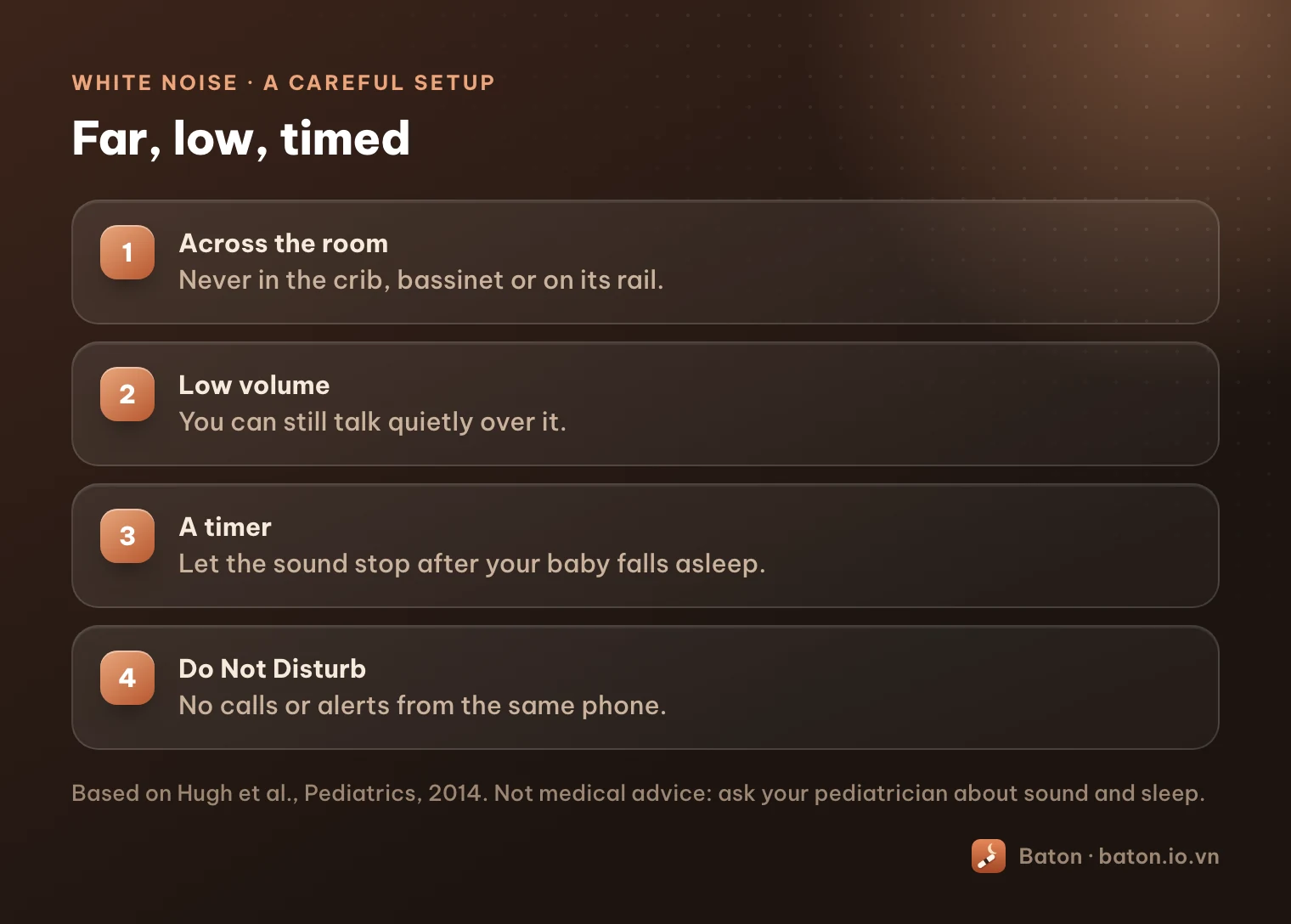
There is no single official volume for babies, so the careful answer is: quieter and farther than feels necessary. A study of 14 infant sleep machines (Hugh et al., Pediatrics, 2014) found that at maximum volume, all of them were louder than 50 dBA at 30 cm from the crib, the limit recommended for hospital nurseries. The authors suggested placing a machine as far from the crib as possible, keeping the volume low and not running it for long periods.
In practice, with an iPhone:
- 1Put the phone across the room, not in the crib or the bassinet and not on its rail. Nothing should be in a baby's sleep space, and that includes phones and cables.
- 2Keep the volume low: you should be able to talk quietly over it.
- 3Use a timer so the sound stops after your baby falls asleep, rather than playing all night at full volume.
- 4Turn on Do Not Disturb or a Sleep focus, so a call or a message does not ring out from the same phone.
If your baby has had hearing problems, or you have questions about sound and sleep, ask your pediatrician before using it.
How does Baton make this easier?
Baton is a baby log, and sleep sounds are part of it so the sound and the nap sit in the same place. Here are the steps:
- 1Open Baton, go to More and tap Sleep sounds.
- 2Choose a sound. Noise has white, pink and brown noise; Nature and body has rain, ocean waves, a fan, a gentle shush and a heartbeat; Lullabies has three classic tunes played as a music box.
- 3Set the Sleep timer to 15 min, 30 min, 1 h or All night, and the Volume to Low, Medium or High. At the end of the timer the sound fades out gently over the last minute.
- 4Leave Start the sleep timer too switched on if you want Baton to start timing the nap in your log at the same moment, unless a sleep is already running.
- 5Lock the phone and put it away from the crib. The sound keeps playing with the screen locked, with play and pause on the Lock Screen and a Now playing card on Today.
Every sound is generated on the phone by Baton, so nothing is downloaded and it works without internet. The screen shows the same advice from the 2014 study: far from the crib, volume low, not all night at full volume.
What is free, and what stays private?
- Free: white noise, up to 15 minutes at a time, as often as you like. The sleep log, timers and sync with your partner are free too.
- Baton Plus (optional): every sound and lullaby, and the 30-minute, 1-hour and all-night timers. Prices and what renews are in the Pricing section on the home page.
- Private: the sounds are made on your iPhone, and your baby's log stays on your devices and in your own iCloud. Baton has no account, no ads and no tracking.
How do two parents share the bedtime routine?
If one parent starts the sound and the nap, the other can see the running sleep on their own iPhone, because Baton keeps one log for both parents through each person's iCloud. That makes it easy to see how long the baby has been asleep without opening the door.
Over a week or two, the sleep log shows whether naps with sound look any different from naps without it. Treat that as your own observation, not a rule, and bring it to your pediatrician if sleep is worrying you.
Frequently asked questions
- Can I play white noise on my iPhone without an app?
- Yes. Turn on Background Sounds in Settings › Accessibility › Audio & Visual, choose a sound and lower the volume. Turn off Stop Sounds When Locked so it keeps playing with the screen off.
- How far from the crib should the phone be?
- As far as is practical, ideally across the room, and never in the crib or bassinet. A 2014 study in Pediatrics found infant sleep machines at full volume were too loud at 30 cm and suggested placing them as far from the crib as possible.
- Is it okay to play white noise all night?
- The 2014 study's authors suggested not running sound machines for long periods. A timer that stops the sound after your baby falls asleep is the more careful choice. Ask your pediatrician if you are unsure.
- Is white noise in Baton free?
- Yes. White noise is free for up to 15 minutes at a time, as many times as you like. Baton Plus adds the other sounds, the lullabies and longer timers.
- Does Baton need the internet to play sounds?
- No. Every sound is generated on your iPhone, so nothing is downloaded and it plays offline, with the screen locked.